Phika app icon

The coffee journal app for serious bean lovers

Log every bean, track every brew, and discover what the coffee community is drinking. Free for iPhone.

☕ Espresso & filter 🌍 Community discover ⌚ Apple Watch 🆓 Completely free
Download free on the App Store
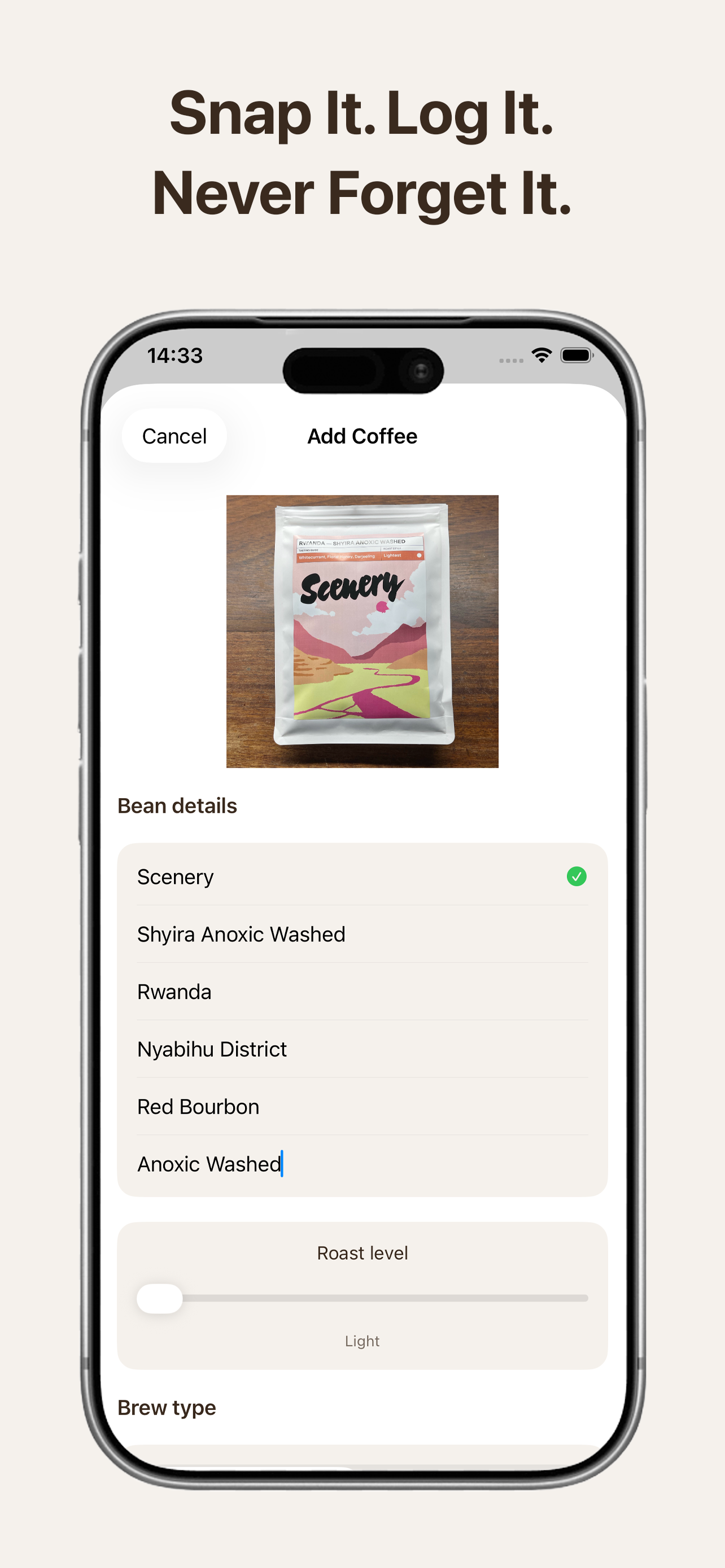
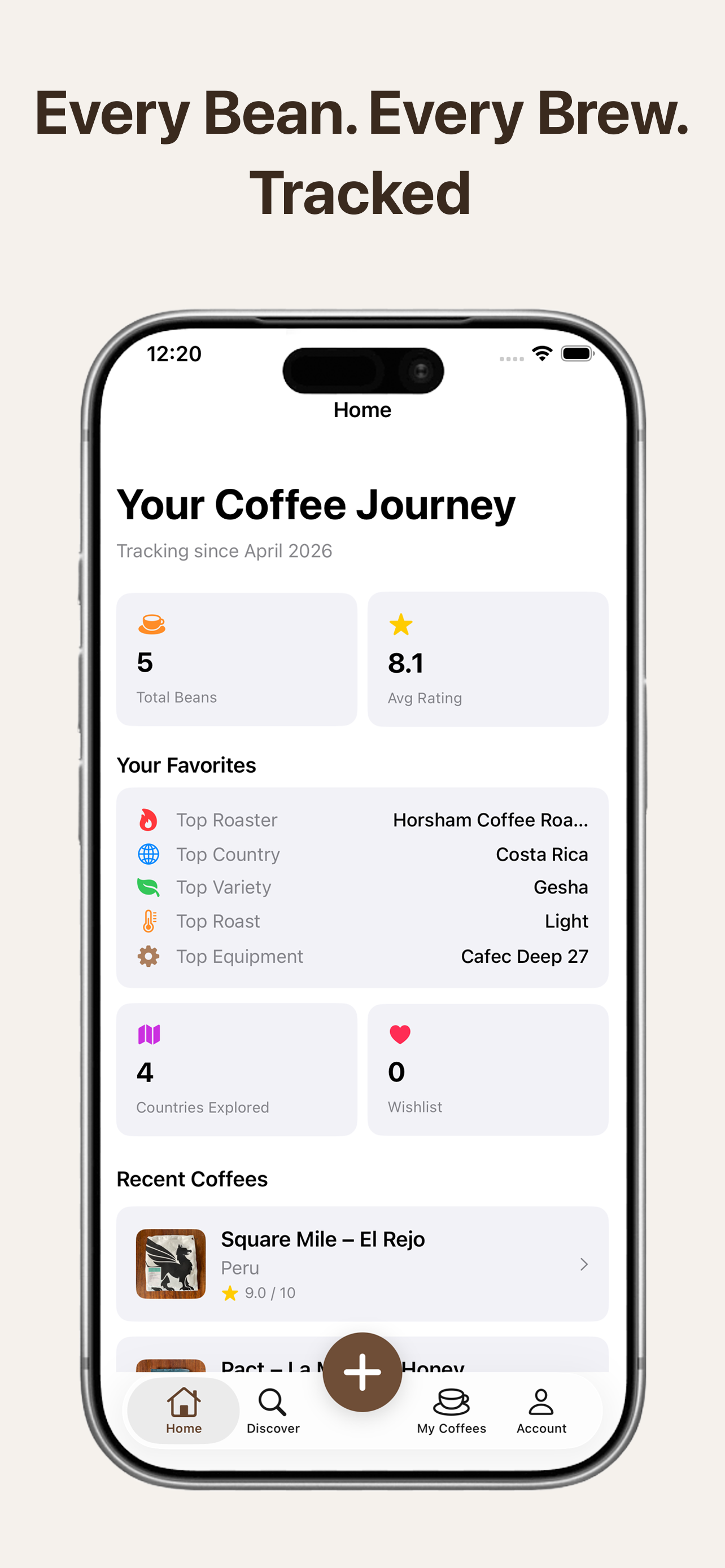
Logging a coffee bean in Phika Coffee journey stats in Phika
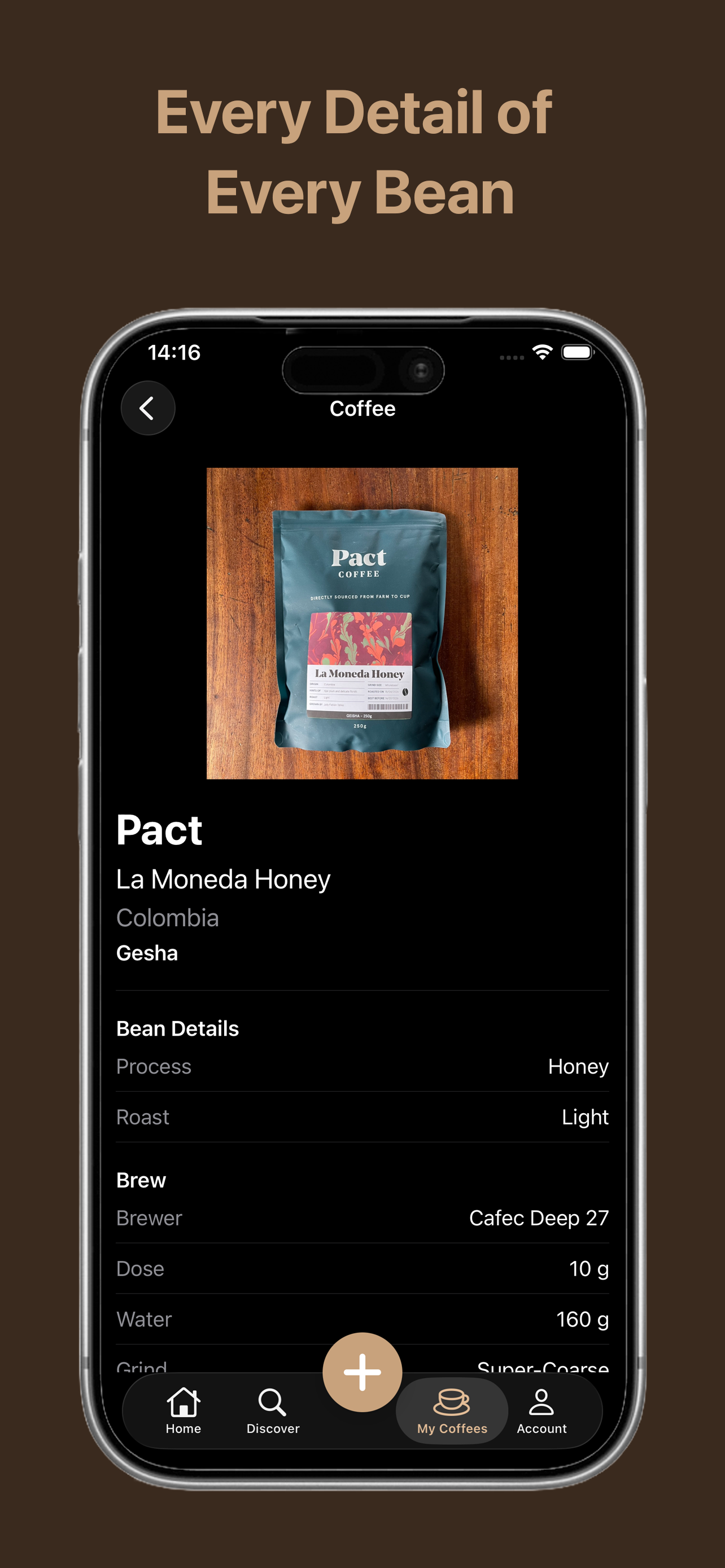
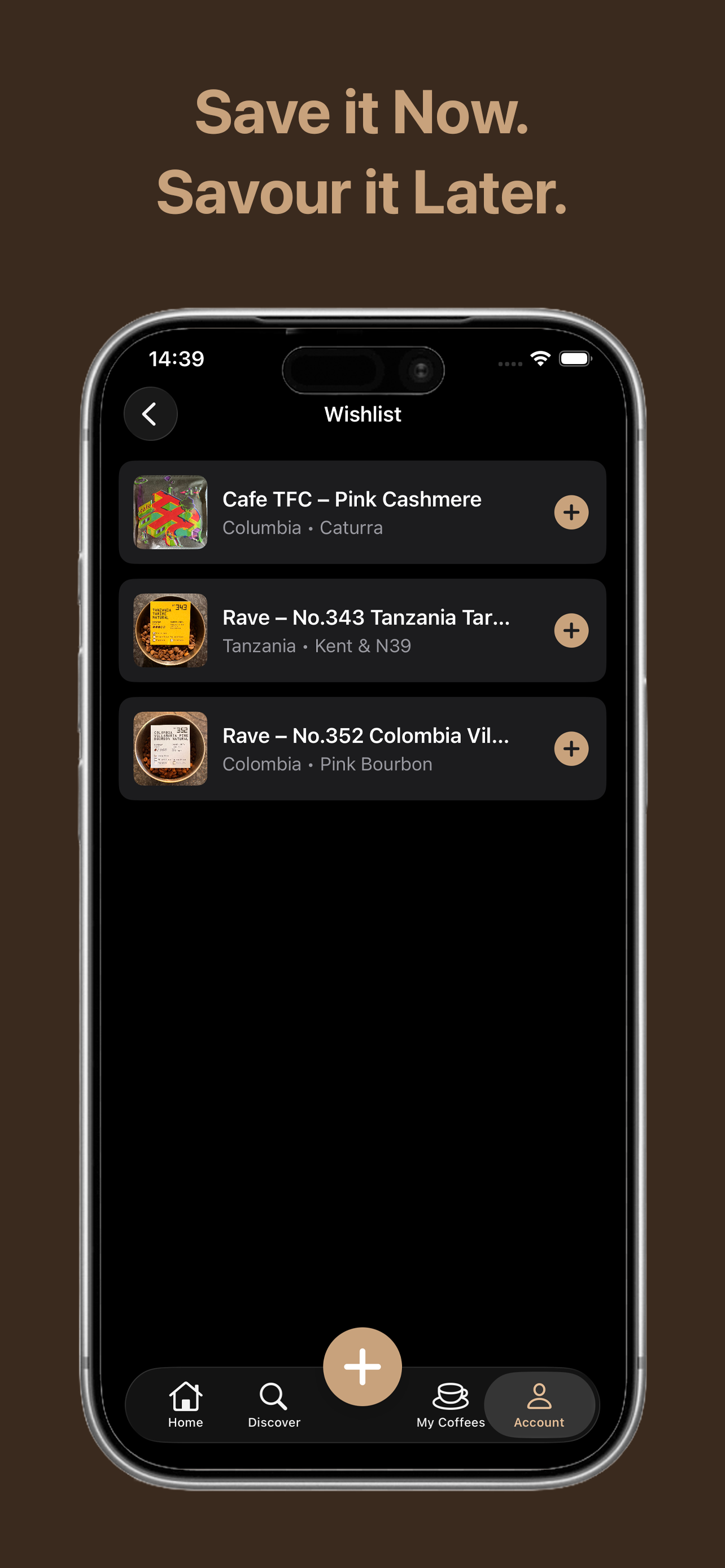
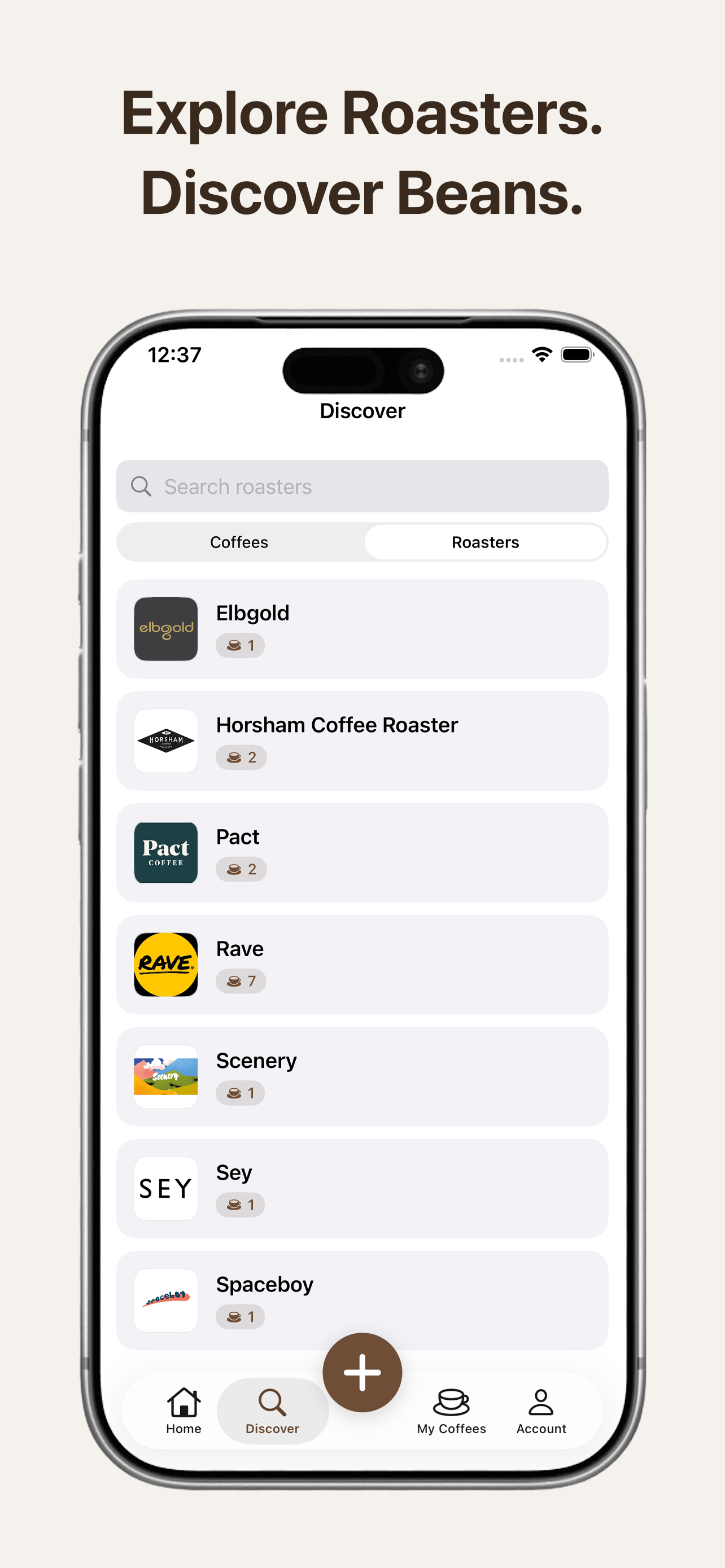
Add coffee screen showing bean details logging Coffee detail view with full brew parameters Home screen showing coffee journey stats Wishlist screen for saving coffees to try Discover screen showing roasters and community coffees

Features

Everything a coffee enthusiast needs

From the first snap of the bag to your final tasting note, Phika keeps a record of every bean and every brew.

📸

Photo logging

Snap a photo of your bag and record the roaster, origin, variety, process, and roast level — all in one place.

Brew parameters

Track dose, water, grind setting, temperature, and extraction time for both espresso and filter brews.

Ratings & tasting notes

Rate each brew out of 10, write tasting notes, and record whether you'd buy it again.

🌍

Community discover

See what other coffee lovers are brewing. Filter by country, process, roast level, and brew type to find your next bag.

🏪

Roaster directory

Browse a growing directory of specialty coffee roasters. See all the beans logged from each one.

❤️

Wishlist

Save coffees you want to try. When you finally log one, it disappears from your wishlist automatically.

📊

Personal stats

See your favourite roasters, top origins, most-used equipment, and how your taste has evolved over time.

Apple Watch app

Browse your full coffee collection from your wrist with the companion Apple Watch app.

🔗

Share cards

Generate beautiful branded share cards for any coffee in your collection and share them with friends.

Completely free, right now

Every feature of Phika is free — no limits, no paywalls, no ads. Everyone who joins now will keep full free access even when a paid tier launches in the future.

Download on the App Store

About

The story behind Phika

Hey, I'm Josh 👋 — a solo indie developer from the UK.

Phika started with a simple frustration: I couldn't remember which coffee beans I'd bought or what I thought of them. I tried Apple Notes, but it quickly became messy. So I built the tool I wished existed.

It's become more than just an app — it's a passion project built by someone who genuinely loves coffee and wanted something better than a notes file.

Phika is completely free right now, with every feature available to everyone. When a paid tier launches in the future, everyone who joined early will keep full access for free — as a thank-you for being part of the community from the start.

Phika is built natively for iOS with SwiftUI. Your data is stored securely with Firebase. I don't run ads, I don't sell your data, and I never will.

— Josh
FAQ

Frequently asked questions

Is Phika really free?

Yes. Every feature is available to everyone at no cost — no limits, no paywalls. Early users will keep free access when a paid tier eventually launches.

What coffee brewing methods does Phika support?

Phika supports espresso and filter brewing, including V60, AeroPress, Chemex, and any other pour-over or immersion method. You can record all your key parameters for each.

Can I track my grinder settings?

Yes. You can add your grinders to your equipment list and record a setting (by number or clicks from closed) with each brew log.

What data do you collect?

Your display name, coffee logs (including photos, brew details, ratings, and notes), and optional info like country and equipment. We don't sell or share your data. See our full privacy policy below.

Are my coffee logs public?

Yes. Coffee logs you add are visible to other users in the Discover section. This is how the community finds and learns about new coffees.

Can I delete my account?

Yes. Go to the Account tab and tap "Delete Account". This permanently removes your account and all associated data immediately.

What devices are supported?

Phika is available on iPhone running iOS 17 or later, with a companion Apple Watch app.

Support

Get in touch

Have a question, found a bug, or just want to say hello? I'd love to hear from you.

✉️

Contact support

You can also reach out directly from within the app via Account → Contact Support.

Legal

Privacy Policy

Last updated: February 2026

Terms of Use

Last updated: February 2026